
XOutput: Turn Any DirectInput Controller into an Xbox 360 Gamepad
The most lightweight and low-latency XInput emulator for Windows 10 & 11. Play Game Pass, Steam, and Epic Games titles with your generic USB controllers, PS3, or old joysticks without complex mapping.
🛡️ 100% Clean Source | Working on Windows 11/10
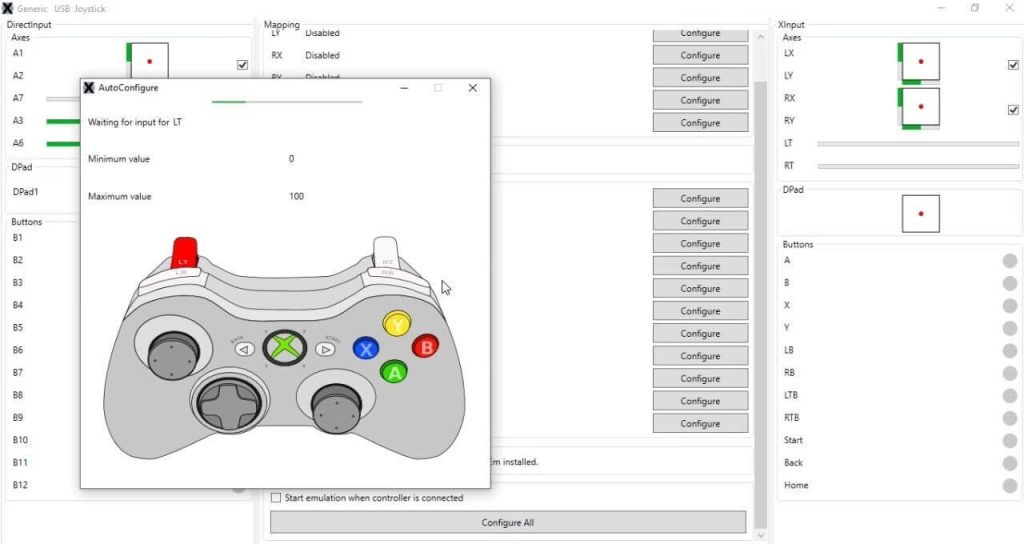
Is XOutput Safe & Working in 2026?
Everything you need to know about the project status and safety.
Official Repository Archived (Dec 4, 2024)
The official XOutput repository by csutorasa is now read-only and deprecated. This website is a fan-maintained documentation hub designed to help users install the final stable version (v3.32) and necessary dependencies like ViGEmBus on modern Windows systems.
Verified Integrity
We prioritize safety. Unlike suspicious download sites, we encourage you to verify the MD5/SHA256 hash of our files against the original GitHub source code. Check our files on VirusTotal for peace of mind.
Verify File Hash →Dependency Fixes
Official drivers like SCPToolkit are deprecated. We provide an All-in-One guide to installing the correct ViGEmBus drivers and .NET 7 Runtimes, ensuring XOutput runs crash-free on Windows 11.
View Installation Guide →Legacy Controller Support
Despite being archived, XOutput remains the best open-source tool to convert DirectInput to XInput. It allows you to use generic USB controllers, PS3, and old joysticks with Game Pass and Steam.
Read Project History →Advanced Emulation Features
XOutput isn’t just a wrapper; it’s a complete controller management suite designed for performance.
Near-Zero Latency
Unlike older wrappers that run in user-mode, XOutput leverages kernel-level emulation via ViGEmBus, ensuring input lag is virtually undetectable (<1ms).
Force Feedback
Full support for rumble and vibration motors. XOutput translates XInput rumble commands back to your DirectInput device (if supported by hardware).
Ultra Lightweight
No bloatware. The application uses less than 20MB of RAM. Perfect for low-end PCs where running Steam Big Picture in the background causes lag.
4-Player Local Co-op
Connect up to 4 controllers simultaneously. Mix and match different brands (e.g., one PS3 controller, one Logitech, one Flight Stick).
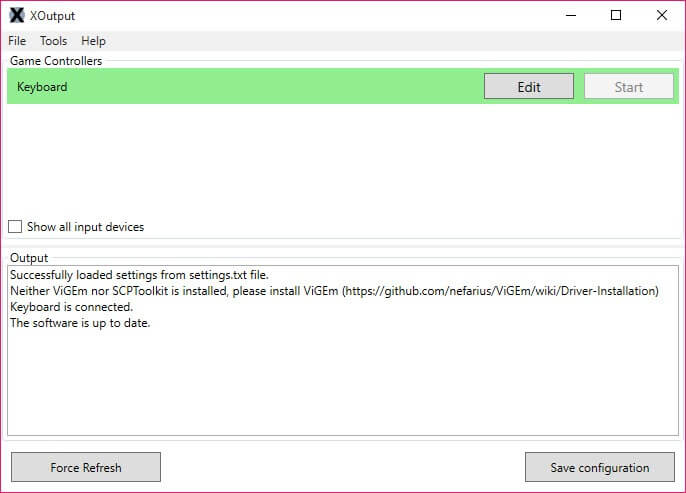
Fix Drift & Remap Buttons
Is your old controller suffering from stick drift? XOutput allows you to set precise Deadzones for analog sticks, eliminating unwanted movement.
-
✓
Rebind Any Button: Swap A/B or X/Y buttons to match Nintendo layout or your preference.
-
✓
Invert Axes: Easily invert Y-axis for flight simulators or old-school shooters.
-
✓
Visual Feedback: See real-time input visualization to confirm your buttons are working before launching the game.
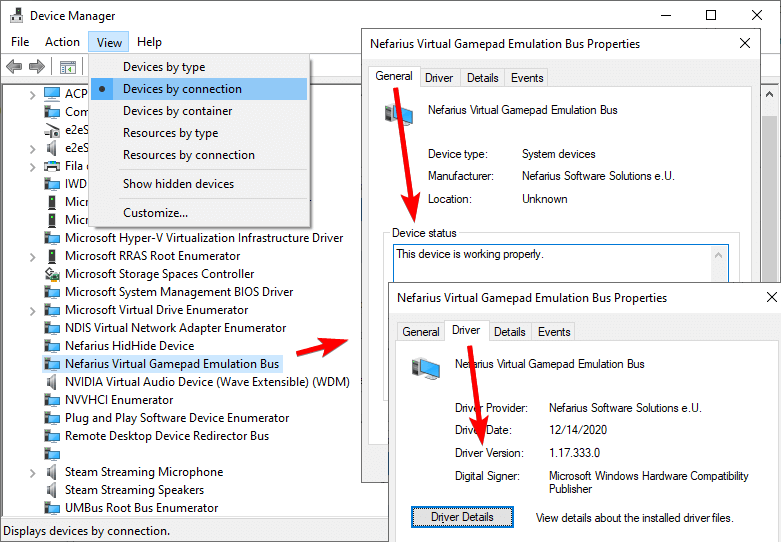
Powered by ViGEmBus
Unlike legacy wrappers that rely on DLL injection (like old x360ce versions), XOutput communicates directly with the ViGEmBus kernel driver.
This allows XOutput to create a virtual device that is indistinguishable from a real Xbox 360 controller at the system level. This means 100% compatibility with UWP apps, Microsoft Store games, and anti-cheat systems.
How to Configure XOutput
Follow this guide to get your controller working in under 5 minutes. No coding skills required.
Connect & Verify
Plug in your generic USB controller, PS3, or old joystick. Windows should automatically detect it. You don’t need XOutput just yet—make sure Windows “sees” the device first.
Type joy.cpl in the Windows Start menu to open the “Game Controllers” panel. If your device is listed there with status “OK”, you are ready for Step 2.
Install ViGEmBus
XOutput requires an emulation framework to “trick” games. Download and install the ViGEmBus Driver (v1.21.442). Do not use the old SCPToolkit as it causes crashes on Windows 11.
After installing ViGEmBus, restart your PC. Without a reboot, XOutput will show a “driver not found” error. Get drivers here →
Map & Emulate
Open XOutput, click “Add Controller”. Click “Edit” to map your buttons (A, B, X, Y, Triggers). Once done, close the edit window and click “Start” on the main screen.
Go to Settings and enable “Start with Windows” and “Start Minimized” so your controller is always ready to play when you boot up.
Ready to Play?
Get the final stable version of XOutput with all necessary dependencies.
No registration required. Open source and free forever.
* Requires Windows 10 or Windows 11.
* ViGEmBus driver installation required (included in guide).
Frequently Asked Questions
Everything you need to know about installation, errors, and configuration.
🛡️ Safety & Compatibility
Is XOutput a virus? (False Positives)
No, XOutput is open-source software. However, some antivirus software may flag it as a “False Positive” because it injects inputs into the system (which is exactly what an emulator is supposed to do). Always download from our mirrors or GitHub and verify the MD5 hash.
Does it support PS4, PS5, and Nintendo Switch controllers?
Yes. XOutput works with any controller that Windows recognizes as a “DirectInput” device. This includes generic USB gamepads, PlayStation controllers (DualShock 3/4/Sense), and Nintendo Switch Pro controllers.
🔧 Installation & Errors
XOutput won’t open / nothing happens when clicked
This is the most common issue on Windows 10/11. It happens because you are missing the .NET 7.0 Desktop Runtime. The application requires this specific framework to launch the interface. Download dependencies here.
Should I use SCPToolkit or ViGEmBus?
Do NOT use SCPToolkit. It is deprecated, unstable, and known to cause Bluetooth driver issues. You should install ViGEmBus (Virtual Gamepad Emulation Bus), which is the modern standard supported by XOutput v3.32.
“ViGEmBus driver not found” error
If you see this error, ensure you have installed ViGEmBus v1.21.442 or later. After installation, you must restart your computer for the driver to initialize correctly.
⚙️ Advanced Configuration
How to make XOutput start with Windows?
In XOutput v3.xx, go to Settings and check “Start with Windows” and “Start Minimized”. If this fails, you can manually add a shortcut to the Windows Startup folder (Win+R -> shell:startup).
Does Vibration / Rumble work?
Yes, Force Feedback is supported. However, your physical controller driver must support vibration via DirectInput. You can test the motor strength in the XOutput mapping screen.
How to fix Input Lag / Latency?
XOutput adds negligible latency (<1ms). If you feel lag, ensure you are not using a generic USB hub. For Bluetooth controllers, ensure your Bluetooth dongle is version 4.0 or higher.
What is HidHide and do I need it?
HidHide is a utility that hides your real controller from games to prevent “Double Input” issues (where one press counts as two). We highly recommend installing it alongside XOutput for the best experience.
Works With All Your Favorite Games
XOutput emulates a native Xbox 360 controller, making it compatible with 99% of modern PC games and launchers.
🏎️ Racing & Simulation
Ideal for older steering wheels without native XInput support.
- Forza Horizon 4 & 5
- Assetto Corsa / Competizione
- F1 23 / 24
- Need for Speed Unbound
- Euro Truck Simulator 2
⚔️ Action & RPG
Precise analog movement fixing “camera spin” issues.
- Elden Ring
- Dark Souls Remastered / III
- Genshin Impact
- Cyberpunk 2077
- Hogwarts Legacy
🥊 Sports & Fighting
Use arcade sticks or generic pads for local multiplayer.
- EA Sports FC 24 (FIFA)
- Street Fighter 6
- Tekken 8
- NBA 2K24
- Rocket League
💡 Why these games? Most modern titles listed above strictly require XInput (Xbox) controllers and will NOT recognize older DirectInput devices. XOutput bridges this gap instantly.